How to Digitise a School’s Daily Workflow
to Digitise a School’s Daily Workflow | Neecotech Discover how to digitise school daily workflows with smart school management software. Learn how Neecotech helps schools simplify student admissions, attendance, fee management, examinations, report cards, and parent communication. Explore practical strategies to reduce paperwork, improve administrative efficiency, and build a smarter, more connected school with Neeco at [www.neeco.live](https://www.neeco.live).
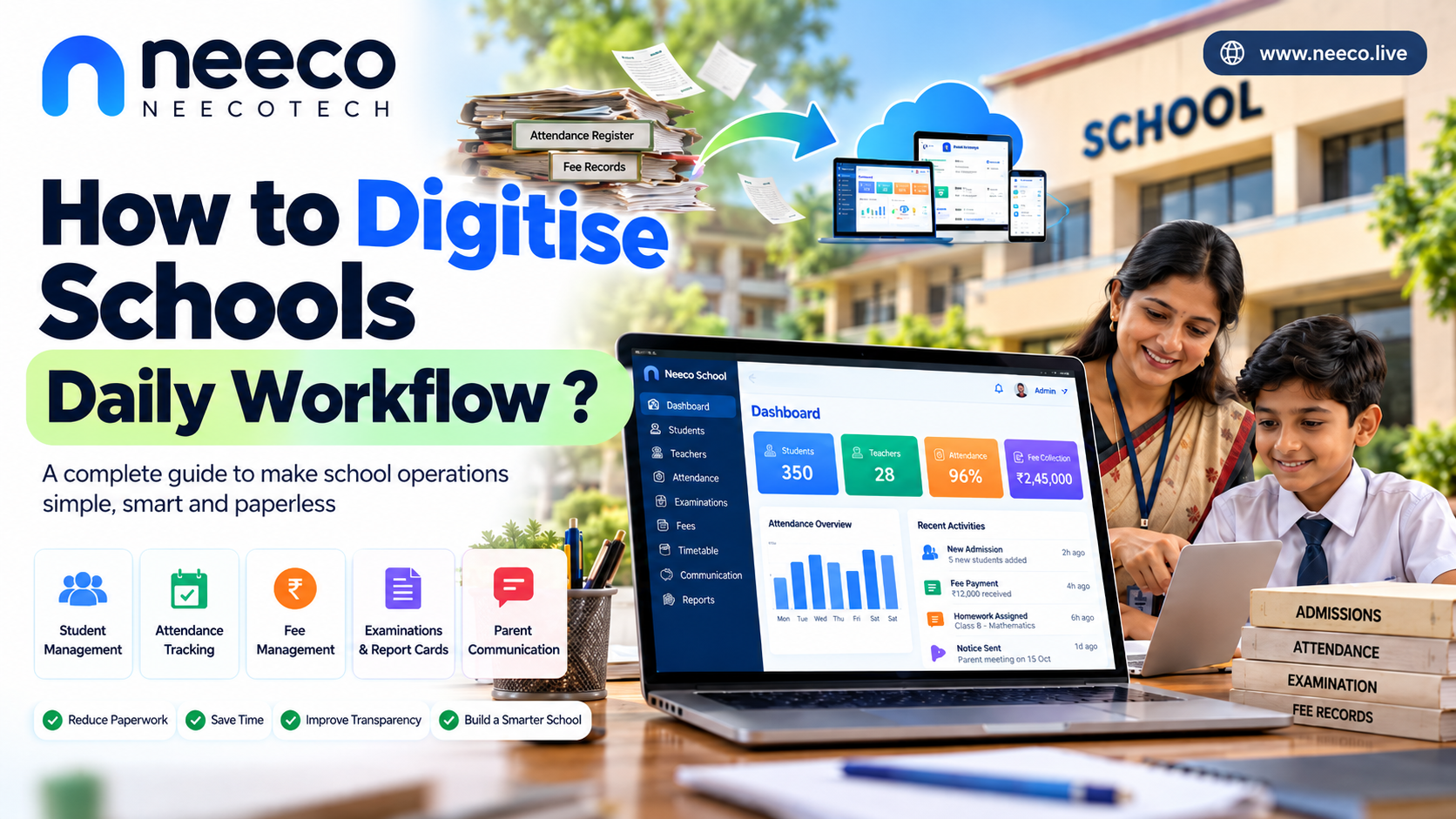
A Complete Guide to Building a Smart, Paperless School
A practical guide for school owners, principals, teachers, administrators, and education technology providers in India

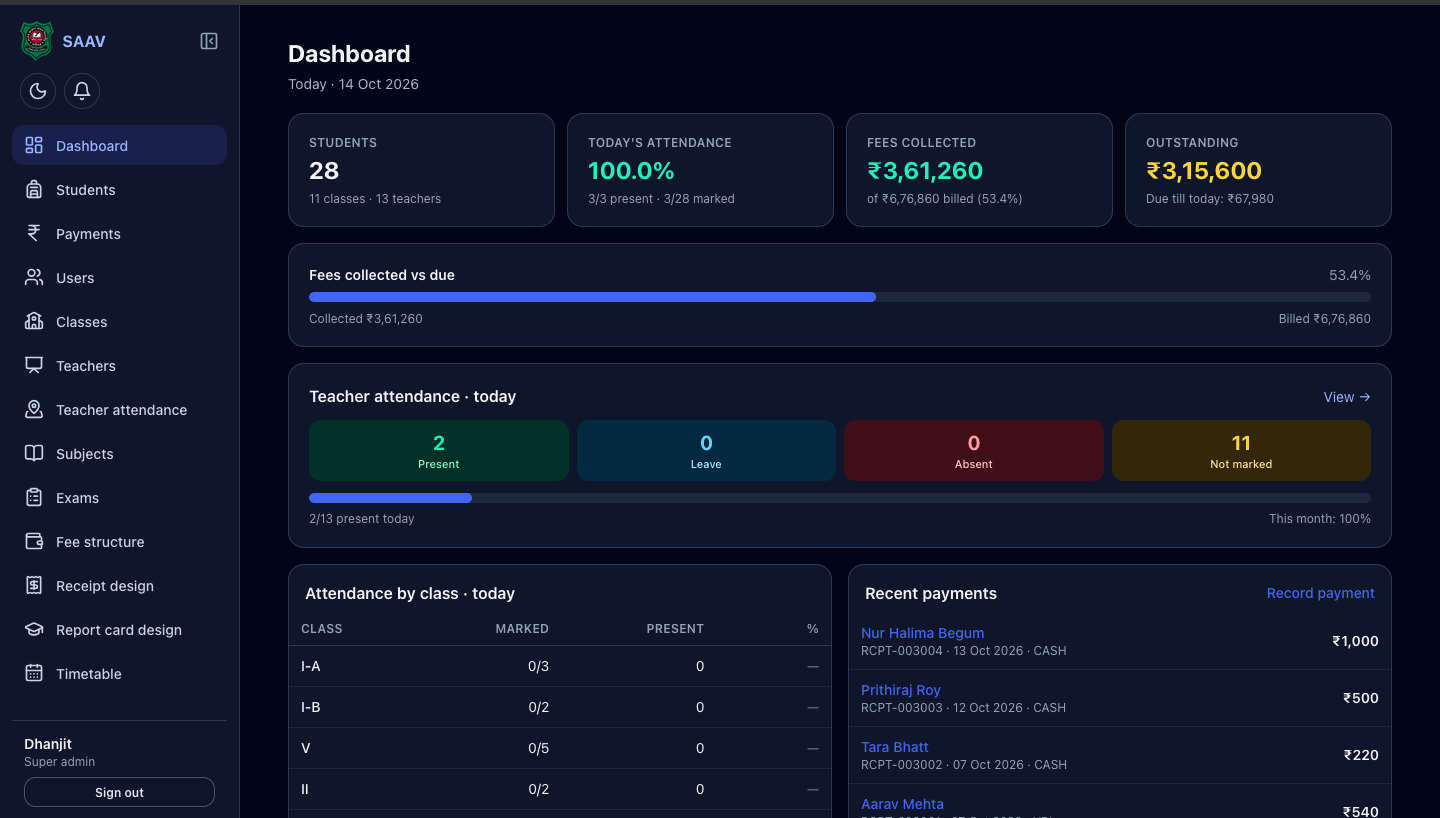
Imagine a school where teachers can record attendance in seconds, parents receive instant updates, fees are tracked automatically, report cards are generated digitally, and the principal can see the school's daily activities from one dashboard.
Now imagine that the same school no longer needs to search through piles of registers, manually calculate attendance percentages, or spend hours preparing monthly reports.
This is the purpose of school workflow digitisation.
Digitising a school does not simply mean buying computers or creating a website. It means improving how everyday school activities are performed by using suitable software, digital records, automated processes, and better communication systems.
For Indian schools, especially small and medium-sized private schools, this transformation can make administration easier, reduce repetitive work, improve transparency, and give teachers more time to focus on students.
The best part? A school does not need to digitise everything at once. It can start with a few essential processes and gradually build a connected digital system.
Visual overview: What a digitally managed school looks like

A well-designed digital school system connects the major departments of a school through a common workflow.
Students: admissions, profiles, attendance, assignments, examinations, and progress.
Teachers: attendance, lesson plans, homework, marks, and classroom activities.
Parents: notices, attendance updates, fee reminders, and academic progress.
Administration: admissions, staff records, timetables, certificates, and reports.
Accounts: fee collection, receipts, pending dues, expenses, and financial summaries.
Principal or management: dashboards, performance indicators, and school-wide reports.
Instead of keeping separate records that rarely communicate with one another, the school can build a more organised system in which authorised users access the information they need.
1. What does it mean to digitise a school’s daily workflow?
A school’s daily workflow is the sequence of activities that takes place from the moment staff and students arrive until the school closes and administrators prepare reports for the next day.
For example, consider student attendance.
In a traditional school, the teacher calls out names, marks a register, calculates the total number of students present, and may later send the attendance figures to the office. The office might enter the same information into another register or spreadsheet.
In a digital school, the teacher marks attendance in a software application. The system updates the student's record, calculates attendance percentages, and can notify authorised staff or parents when appropriate.
The same information does not need to be entered repeatedly.
Traditional workflow vs digital workflow

Traditional method
Paper registers
Repeated data entry
Manual calculations
Physical files
Slower communication

Digital method
Electronic records
One-time data entry
Automatic calculations
Searchable records
Faster communication
There are three important ideas to understand:
Digitisation means converting paper-based information into digital form. For example, entering student details from an admission register into a database.
Digitalisation means using digital tools to improve a process. For example, using attendance software instead of manually calculating attendance.
Digital transformation means redesigning the way the school operates by connecting systems, responsibilities, and information. For example, connecting attendance, parent communication, academic records, and administrative reporting into one coordinated process.
A school can begin with digitisation, improve its processes through digitalisation, and gradually move towards broader digital transformation.
2. Which school activities should be digitised first?
A common mistake is trying to convert every school activity into a digital system at the same time. This can confuse teachers, increase costs, and make implementation difficult.
A better approach is to divide the school into functional areas and digitise them in order of importance.

1. Student admission and records
Create a digital profile for every student, including admission number, name, class, section, guardian contact details, address, and relevant academic records.
Online or staff-assisted admission forms
Document uploads and verification
Unique student identification within the school
Class promotion and transfer records
Why start here? Most other school processes depend on accurate student information.

2. Student and teacher attendance
Replace paper-based attendance entry with a digital interface that works on a phone, tablet, or computer.
Class-wise attendance
Teacher and staff attendance
Late arrival and leave records
Daily and monthly attendance reports
Parent notifications where appropriate
Important: A teacher-authorised attendance record may be sufficient for many schools. Biometric devices are optional, not compulsory for every institution.

3. School fee management
Maintain fee structures and payment records in one system.
Class-wise and student-wise fee schedules
Payment receipts
Pending dues and instalments
Concessions and approved exemptions
Daily collection summaries
The system should distinguish between a payment recorded by staff, a payment confirmed by a payment gateway, and a payment still pending. This prevents confusion during reconciliation.

4. Examinations and report cards
Teachers enter marks into a controlled system, and the software calculates totals, percentages, grades, and other approved results.
Subject-wise marks entry
Examination schedules
Mark verification and approval
Report card generation
Student performance summaries
Results should be checked and approved by authorised staff before publication.

5. Parent communication
Build a reliable way to share official school information.
Notices and circulars
Holiday announcements
Homework and assignment updates
Parent-teacher meeting reminders
Attendance and examination notifications
A school can begin with a simple official communication channel before introducing a complete parent application.

6. Staff and administrative management
Organise the activities that keep the school operating.
Staff profiles, leave and attendance
Timetables and substitution records
Library and inventory registers
Certificates and document requests
Transport information, where relevant
Meetings and administrative tasks
These six areas are a practical starting point. The right order depends on the school's current problems, available staff, budget, and infrastructure.
3. The complete school digitisation framework
The following infographic brings the major areas, implementation steps, sample daily activities, benefits, and common challenges together in one visual guide.
School workflow digitisation — visual reference
Use it as an overview. The sections below explain how to implement the ideas in a real school, rather than simply installing software and hoping the workflow improves.
4. How to digitise the school’s daily workflow step by step
Step 1: Audit the existing workflow
Before purchasing software, observe how the school currently operates.
Ask the principal, teachers, office staff, and accounts team to explain their daily tasks.
For example:
Activity | Traditional method | Problem to investigate |
|---|---|---|
Attendance | Paper registers | Repeated entry and delayed reports |
Fees | Receipts and ledgers | Difficulty tracking outstanding dues |
Examinations | Paper marksheets and spreadsheets | Calculation or copying errors |
Notices | Printed circulars or informal messages | Some parents miss updates |
Student records | Physical files | Slow searching and duplicate records |
Staff leave | Paper applications | Unclear approval status |
Do not assume every paper-based process is bad. Some original documents may need to remain on paper for legal, regulatory, or operational reasons.
The goal is to identify which tasks can be made simpler, faster, more accurate, and easier to track.
Deliverable: A written list of the school's ten most time-consuming administrative tasks.
Step 2: Map each process from beginning to end
A workflow is more than a feature in an application. It includes the person who starts the task, the person who approves it, the information required, and the final result.
Consider a student absence.
Teacher records absence
Select student and attendance status
System saves the record
Class attendance is updated
School applies its notification rules
An authorised alert may be sent to the parent
Office reviews the report
Daily totals and monthly trends are available
This example works only if the school defines who can record or edit attendance, when a notification should be sent, and how mistakes are corrected.
Map every important workflow in a similar way before automating it.
Step 3: Choose the right digital tools
There are three common approaches.
Option A: Spreadsheets and basic online forms
Best for schools beginning with simple digitisation and operating on a limited budget.
Examples include digital admission forms, staff leave requests, inventory lists, and simple reports.
Limitation: As the school grows, permissions, record duplication, and cross-department reporting can become difficult to manage.
Option B: School management software
Best for schools that want student records, attendance, fees, examinations, staff management, and communication connected in one system.
It reduces the need to maintain separate tools for every department.
Limitation: The school must check whether the software actually supports its required workflows, languages, reports, and access controls.
Option C: Custom-built school software
Best when the school has specific requirements that existing software does not handle well.
A custom system can be designed around the school's admission rules, fee structure, report card format, and approval processes.
Limitation: Development is only the beginning. Maintenance, security updates, backups, user support, and future improvements also need a budget.
My practical recommendation: For a small or medium-sized school, begin with a reliable school management system that covers student records, attendance, fees, and examinations. Add more specialised tools only when there is a clear need.
Before choosing a vendor, request a demonstration using realistic school scenarios, confirm the total cost, and understand how the school can export its data if it changes providers.
Step 4: Prepare the school's digital infrastructure
Software alone cannot solve every problem. The school also needs basic infrastructure.

Start with the essentials:
Devices: A computer for the office and suitable phones, tablets, or computers for teachers.
Internet: A reliable connection for online systems, with an offline or backup process for essential work.
Electricity: Charging facilities and, where needed, backup power.
Cloud storage: Secure storage for authorised documents, reports, and backups.
Technical support: Someone responsible for resolving login, device, and software problems.
Cloud storage means saving data on internet-connected servers rather than only on one computer. It can make information accessible from multiple authorised devices, but it does not automatically guarantee security or backup quality.
UNESCO's digital transformation framework highlights connectivity, equipment, technical support, data protection, staff capacity, and sustainable funding as connected requirements—not separate afterthoughts.
UNESCO
For schools in smaller towns and rural areas, a sensible strategy is to select software that works well on ordinary smartphones and can tolerate occasional connectivity problems.
Step 5: Create a single source of truth for school data
A common problem in traditional school administration is duplicate information.
For example, a student's name may be written differently in the admission register, fee ledger, attendance sheet, and examination spreadsheet.
This can cause mistakes in reports and certificates.
The digital system should establish one authoritative student record that authorised modules can use.
Central student database
Student ID, class, section, guardian and admission details
Attendance
Fees
Academics
Communication
To make this work:
Give every student a unique internal ID.
Standardise class names, sections, subjects, and academic years.
Import existing records carefully and check for duplicates.
Decide who can create or edit each type of record.
Keep an audit trail of important changes.
Back up the data and periodically test that it can be restored.
Important: A single source of truth does not mean every employee should see every record. Student information, fee details, staff records, and examination results need different access permissions.
Step 6: Automate repetitive tasks
Once the records are reliable, identify tasks that the software can perform automatically.
Attendance alerts
When attendance is finalised, the system can notify authorised staff and, where appropriate, a parent or guardian. Define how corrections and connectivity failures are handled.
Fee receipts and reminders
Generate receipts from confirmed payments and schedule reminders for upcoming or overdue fees. Give staff a way to record offline payments and reconcile them later.
Academic calculations
Calculate totals, percentages, and grades according to the school's approved rules. Keep human review and approval before results are released.
Daily and monthly reports
Compile attendance totals, fee collections, pending dues, and other operational figures from the underlying records instead of repeatedly entering the same numbers.
Reminders and approvals
Notify the right staff member when a leave request, document request, or other task requires attention. Keep the approval status visible until the task is completed.
Automation should remove unnecessary work, not remove important checks. For example, a system may calculate examination results automatically, but a responsible staff member should verify the results before publishing them.
5. What does a digitally managed school day look like?
Let's imagine a school with 350 students and 28 teachers. These numbers are illustrative, not statistics about a particular school.

7:30 AM
Staff and student check-in
Staff record their attendance. Teachers record student attendance through the school's authorised system. The office can identify missing or incomplete class records.
8:00 AM
Classroom teaching begins
Teachers access the timetable, lesson plans, and relevant teaching materials. They can use digital resources when helpful without making a device necessary for every lesson.
During class
Homework and assignments
Teachers record assignments, deadlines, and completion status. Students and parents can access the information through the school's chosen communication channel.
Throughout day
Communication and administration
The office shares official notices, handles document requests, and reviews pending fees or staff approvals. Parents receive relevant updates rather than every internal administrative message.
Exam time
Marks and report cards
Teachers enter marks, the system applies the approved grading rules, and authorised staff check the results before generating report cards.
End of day
Management review
The principal reviews attendance, collections, outstanding tasks, and operational reports. The team identifies problems and prepares priorities for the next school day.
The objective is not to make every activity digital. It is to ensure that information moves reliably between the people who need it, with less repetitive work and fewer missed tasks.
6. How to design an effective school management dashboard
The dashboard is the starting screen that authorised users see after logging in. It should show the information relevant to their responsibilities.

A good dashboard is not simply a collection of colourful charts. It should answer important questions quickly.
User | Useful dashboard information |
|---|---|
Principal | Overall attendance, pending approvals, academic progress, operational alerts |
Class teacher | Class attendance, timetable, homework, students needing follow-up |
Accounts staff | Daily collections, outstanding dues, failed or unconfirmed payments |
Examination staff | Marks entry completion, missing marks, verification status |
Parent | Their child's attendance, homework, notices, fee receipts and results |
School owner | Enrolment trends, collections, expenses and overall performance |
A principal may need a school-wide attendance summary, but a parent should generally see only information about their own child.
Essential dashboard design principles
Use simple labels and familiar language.
Show the most important tasks first.
Clearly distinguish current information from old or incomplete data.
Allow users to click through to the relevant records.
Make the interface usable on phones and low-resolution screens.
Display warnings when data has not synced or a task remains incomplete.
Avoid showing sensitive information to users who do not need it.
A dashboard should help someone take action, not merely look impressive.
7. Which technologies should a school use?
There is no single technology stack that suits every school. Choose tools according to the school's requirements, technical ability, budget, and connectivity.

School management software
The central system for student records, attendance, fees, examinations, staff, and reports. Evaluate whether it provides the modules and integrations the school actually needs.

Office and collaboration tools
Solutions such as Google Workspace or Microsoft 365 can support documents, spreadsheets, calendars, and internal collaboration. They may complement, rather than replace, a dedicated school management system.

Parent communication
A school application, secure portal, SMS service, or carefully managed messaging channel can distribute notices and reminders. Set clear rules for official communication and protect contact details.

Database and cloud infrastructure
Cloud platforms or a suitable managed server can store school records and support the application. The choice should consider access control, backup, security, reliability, and long-term cost.

Digital payments
A suitable payment gateway or banking service can support online fee collection. Verify transaction status, handle failed payments, reconcile settlements, and keep proper financial records.
What if the school wants to build its own software?
A custom school management application can be built with a web-based interface, a backend application, a database, and appropriate authentication and hosting.
For example, a development team might consider:
Frontend: HTML, CSS, JavaScript, or a suitable web framework.
Backend: a managed backend service or a server application.
Database: a structured database for students, attendance, fees, examinations, and staff.
Authentication: separate accounts and permissions for administrators, teachers, parents, and other users.
Storage: controlled storage for documents and report cards.
Integrations: email, SMS, payment gateways, or other services as needed.
These are examples, not a requirement to use any particular technology. A small school may be better served by an existing system than by maintaining its own software.
If a team chooses Firebase for part of the application, it should still design appropriate database permissions, authentication, backups or exports, and costs. A free usage tier does not mean unlimited storage, unlimited usage, or a complete school management solution.
8. Data security and student privacy: A critical requirement
A digital school handles sensitive information about children, families, teachers, finances, and academic performance. Poorly secured software can expose this information to unauthorised people.
UNICEF's school data-protection guidance highlights the privacy and security risks associated with collecting and using children's educational data.
UNICEF Europe and Central Asia
+1
For schools in India, data protection must be considered alongside applicable laws, rules, and the school's specific obligations. India's Digital Personal Data Protection Act, 2023, and the Digital Personal Data Protection Rules, 2025, are important references for planning student-data processing. Applicability, commencement, exemptions, and particular obligations must be checked against the current official requirements.
Press Information Bureau

Essential security measures
Role-based access
Give each user only the permissions required for their work. A class teacher should not automatically have access to every school's financial record.
Strong authentication
Use unique accounts, strong passwords, and multifactor authentication where available. Remove or disable access promptly when staff leave.
Reliable backups
Keep protected backups, separate them from ordinary user access, and periodically test restoration. A backup that has never been tested may not help during an emergency.
Encryption and secure connections
Protect data in transit and at rest using appropriate security controls. Avoid sending sensitive spreadsheets or student documents through unsecured public links.
Audit logs
Record important activities such as marks changes, fee adjustments, permission changes, and result approvals. Logs help investigate mistakes and suspicious activity.
Privacy and consent procedures
Collect only necessary information, define why it is used, set retention rules, and provide required notices and consent mechanisms where applicable. Review vendor access and data-sharing arrangements.
Can biometric attendance prevent all attendance fraud?
No. A fingerprint scanner or face-recognition system may reduce some forms of proxy attendance, but no method guarantees that all fraud will disappear.
A school should first define the problem it wants to solve. A teacher-confirmed digital register, authorised corrections, audit logs, and regular review may be sufficient in many cases.
If biometrics are considered, evaluate cost, reliability, privacy, accessibility, data protection, and alternatives. Do not collect biometric data simply because the technology is available.
9. How can schools digitise without a large budget?
A school does not need to purchase every module immediately.
A more sustainable approach is to calculate the full cost over time, including software, setup, training, devices, internet, support, upgrades, and data protection. UNESCO's planning framework explicitly recommends considering both implementation costs and ongoing expenses.
UNESCO
Here is a practical way to prioritise spending.
Priority | What to implement | Why it matters |
|---|---|---|
First | Student database and attendance | Creates a reliable operational foundation |
Second | Fees and receipts | Improves financial record-keeping |
Third | Examination and report cards | Reduces repeated calculations and document preparation |
Fourth | Parent communication | Improves access to official information |
Fifth | Staff, inventory and other modules | Extends digitisation to additional departments |
The order should change if a different problem is more urgent. For instance, a school struggling with fee reconciliation may need to prioritise accounts before adding advanced academic analytics.
A simple way to calculate the value
Suppose a school currently spends 25 staff-hours per month on repetitive administrative work and expects digitisation to save 10 hours per month.
The expected time saving would be:
\[ 10 \times 12 = 120 \text{ hours per year} \]
If the school values the saved staff time at an illustrative ₹150 per hour, the annual time value would be:
\[ 120 \times ₹150 = ₹18{,}000 \]
This is an example, not a guaranteed financial saving. The school should compare that value with the software, training, equipment, and support costs. Saved time may improve service quality without directly reducing payroll expenses.
10. How to train teachers and staff
Even good software can fail if teachers find it difficult to use or do not understand the new process.
Training should focus on actual daily work rather than complicated technical explanations.

A useful training plan is:
Demonstrate one task at a time. Start with logging in and recording attendance.
Provide practice accounts. Allow staff to practise without changing real student records.
Create short user guides. Use screenshots and simple instructions in the languages staff understand.
Appoint a digital coordinator. Give one trained person responsibility for first-line support.
Provide a correction process. Explain how mistakes are reported, corrected, and approved.
Collect feedback. Ask which tasks remain confusing or take too long.
Offer refresher sessions. Train new employees and revisit common problems.
Avoid blaming staff for difficulties during the transition. Sometimes resistance happens because the new system adds extra work instead of removing it.
The best training question is not, "Do you know how to use this application?" It is, "Can you complete your real daily task accurately and confidently?"
11. Common challenges and how to solve them
Challenge | Practical solution |
|---|---|
Teachers resist the new system | Involve them in planning, provide training, and remove duplicate entry |
Internet is unreliable | Choose suitable low-bandwidth or offline-capable processes and define a backup procedure |
Existing records are inaccurate | Clean and verify data before importing it |
Software is too complicated | Pilot the essential modules first and simplify the interface |
Costs become higher than expected | Budget for maintenance and support, not just the initial purchase |
Parents cannot use the application | Provide simple alternatives such as SMS or printed notices where appropriate |
Data is exposed to the wrong users | Apply access controls, strong authentication, audits, and security reviews |
Staff stop using the system | Monitor actual usage, resolve problems, and make the workflow useful |
The school becomes dependent on one vendor | Check data export, ownership, contract terms, and migration arrangements |
The important lesson is that technology is only one part of the solution. Planning, people, processes, infrastructure, and governance matter just as much. UNESCO's planning guidance also recommends involving teachers, families, technical teams, and other stakeholders in technology decisions.
International Institute for Educational Planning
12. A practical 90-day school digitisation roadmap
The following roadmap is a suggested implementation plan. The actual timeline will depend on the school's size, the quality of its existing records, and the selected software.
Days 1–15: Plan and audit
Understand the current system
List the school's daily administrative activities.
Identify the biggest delays and repeated tasks.
Review the quality of student and staff records.
Set priorities, a budget, and measurable targets.
Assign a project coordinator.
Days 16–30: Select and prepare
Choose tools and prepare records
Compare suitable software options.
Check devices, connectivity, and support.
Clean and organise existing records.
Configure user roles and permissions.
Prepare training materials and backup procedures.
Days 31–60: Pilot and train
Test the system with real workflows
Train the office team and selected teachers.
Test student records and attendance.
Test fee receipts and examination calculations where included.
Verify permissions and reports.
Collect feedback and correct problems.
Days 61–90: Expand and improve
Move towards routine use
Extend access to the remaining staff as appropriate.
Introduce parent communication and additional modules.
Review data quality, usage, and errors.
Test backup restoration.
Compare results against the original baseline.
Do not automatically discard paper registers as soon as the software goes live. Run parallel checks where necessary, establish confidence in the digital records, and confirm which records must legally or operationally be retained.
13. How can the principal measure success?
A school should measure the improvement produced by digitisation, not just the number of features it has purchased.
Choose a small set of indicators before implementation and compare them with the results after the system has been used for an appropriate period.
Indicator | What to measure |
|---|---|
Attendance | Percentage of classes whose attendance is recorded correctly and on time |
Administration | Staff-hours spent on repetitive tasks |
Fees | Accuracy of collections, receipts, and outstanding balances |
Examinations | Time required to prepare and verify report cards |
Communication | Percentage of important notices successfully delivered |
Data quality | Number of duplicate, incomplete, or incorrect records |
Adoption | Percentage of relevant staff using the system as intended |
Reliability | Downtime, unresolved issues, and successful backup tests |
Satisfaction | Feedback from teachers, office staff, and parents |
Avoid setting unrealistic targets without first measuring the current situation. For example, a school might set a target of reducing report-card preparation time by 30% after collecting baseline data. That is a goal to test, not a result to assume.
Also remember that faster administration does not automatically mean better education. The school should monitor whether the new workflow helps teachers spend more time on teaching, feedback, and student support.
14. What role can AI play in school administration?
Artificial intelligence can support selected administrative tasks, but it should be introduced only after the underlying records and processes are reliable.

Possible applications include:
Drafting notices and circulars for staff to review.
Summarising non-sensitive administrative reports.
Helping staff find information in approved school documentation.
Identifying unusual attendance or fee-record patterns for human review.
Helping teachers prepare lesson outlines or classroom resources.
Assisting with frequently asked questions about school procedures.
AI-generated information may be inaccurate or incomplete. It should not independently make important decisions about student discipline, admission, grading, or access to educational opportunities.
Schools should also avoid uploading identifiable student records to unapproved AI tools. Privacy, accuracy, fairness, and human oversight must remain central to any AI-assisted workflow. UNICEF's guidance on children's data and AI offers additional considerations for child-centred safeguards.
Office of Strategy and Evidence Innocenti
+1
15. The future of school administration: From paperwork to connected workflows
The long-term goal is to connect administrative systems without making school life unnecessarily complicated.
For example, a new student's admission record could provide the information needed for class allocation. That record could then support attendance, fee management, examination registration, and parent communication—without asking staff to enter the same details repeatedly.
A well-designed system can also support:
Online admission and document submission.
Digital certificates and report cards.
Better staff scheduling and leave approvals.
More useful school performance reports.
Easier communication between the school and families.
Consistent records across academic years.
Carefully controlled integration with other educational services.
However, not every school needs advanced analytics, biometrics, AI, or a complex parent application. A simple, reliable system that staff use every day can be more valuable than an expensive system full of unused features.
The most successful school technology is the technology that solves real problems, protects children, supports teachers, and remains affordable to maintain.
Conclusion
Digitising a school's daily workflow is a gradual process of improving how information is recorded, shared, checked, and used.
Start by understanding the existing workflow. Build accurate student records, introduce attendance and fee management, simplify examinations and communication, train staff, and protect student information. Then expand the system based on evidence of what works.
For Indian schools, particularly those operating with limited administrative staff or budgets, the practical goal should be clear: less repetitive paperwork, fewer avoidable mistakes, better communication, and more time for education.
A school does not become smart simply because it uses modern technology. It becomes better managed when its people, processes, and technology work together.
References and further reading
The following authoritative resources provide additional guidance for school digitisation, implementation planning, and data protection.
UNESCO — 10 key steps for integrating technology into educational planning. Guidance on planning, participation, financing, and evaluation.
UNESCO — The Six Pillars Framework for digital transformation of education. Guidance on leadership, staff capacity, sustainable costs, infrastructure, and data.
UNICEF — Data protection in schools. Practical guidance on privacy and children's educational data.
Government of India, Ministry of Education — PRAGYATA Guidelines on Digital Education. Guidance covering planning, implementation, teacher preparation, and digital safety.Education Government of India
Government of India, Press Information Bureau — Securing personal data of students enrolled on digital education platforms. Official information on India's digital personal data protection framework.
Press Information Bureau Article prepared as a practical guide for school administrators and education technology teams. The implementation examples are illustrative; schools should confirm their own legal, financial, technical, and operational requirements before making changes.
Enjoyed this article?
Give it a like or share it with your friends.